
n8n LinkedIn Automation: What You Can (and Shouldn’t) Automate
Let’s start with the honest version of this conversation, because most articles on this topic won’t give it to you straight: “LinkedIn automation” means two very different things, and only one of them is a good idea.
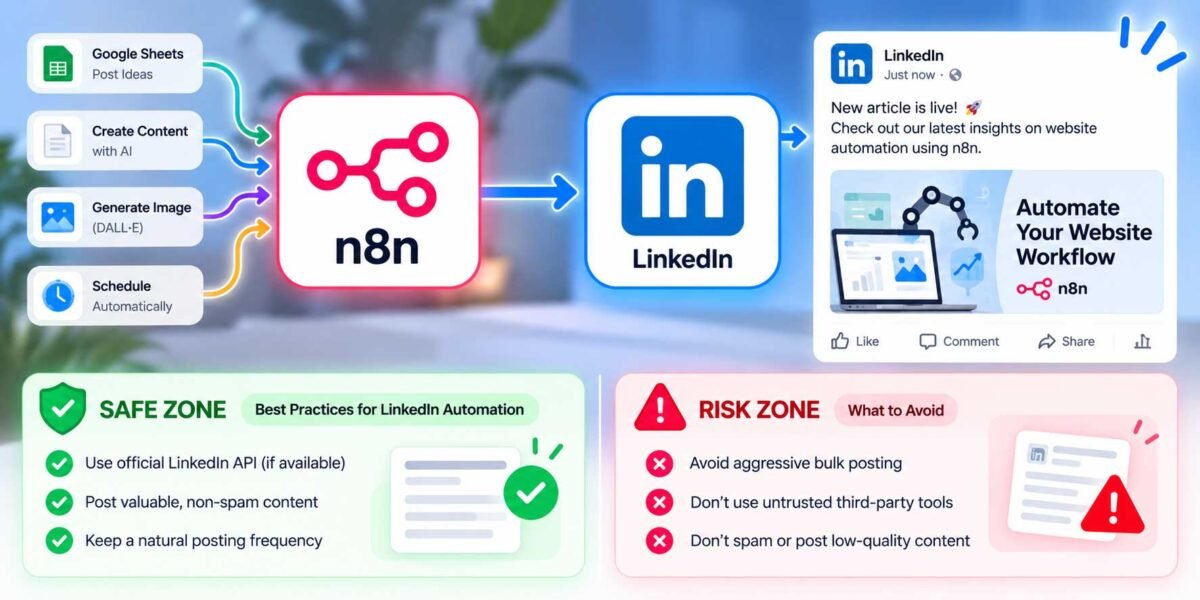
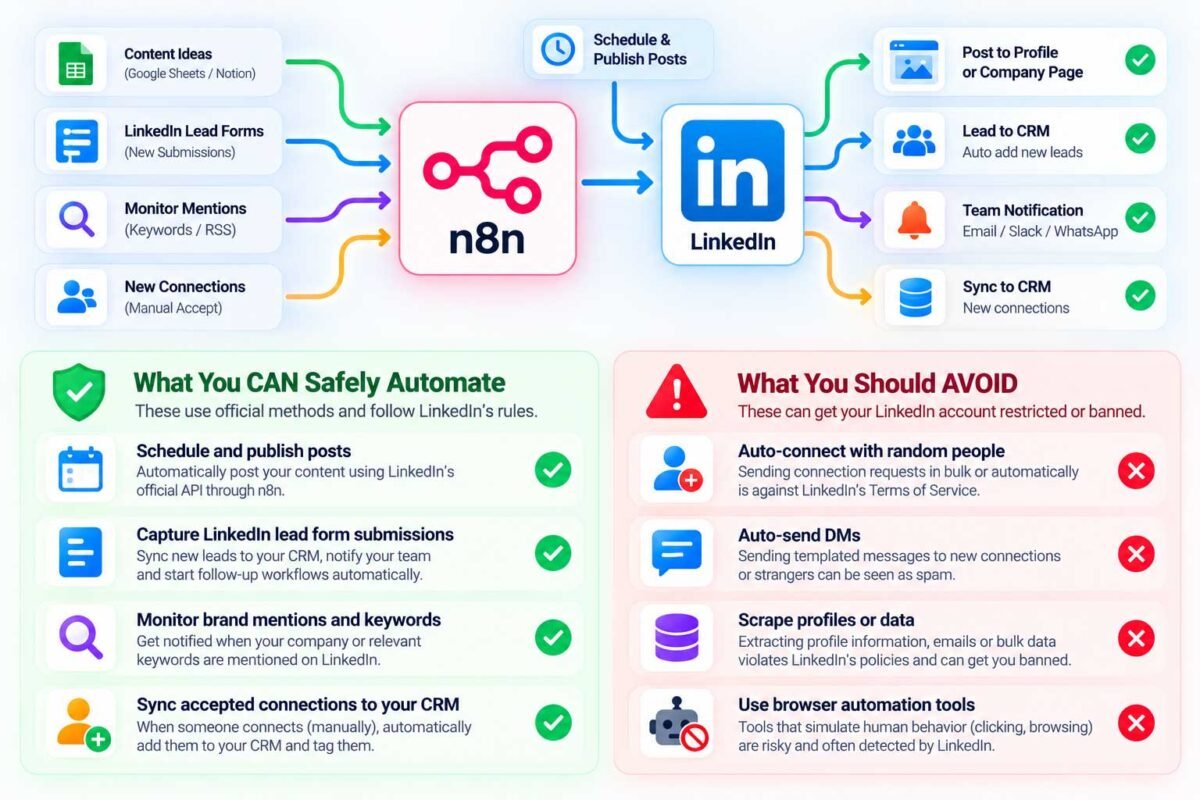
One version is automating your content and workflow around LinkedIn — scheduling posts, getting notified when leads come in from your LinkedIn forms, syncing new connections to your CRM. This is safe, genuinely useful, and something I build for clients regularly using n8n.
The other version is automating your actions on LinkedIn itself — auto-sending connection requests, auto-messaging strangers, scraping profile data at scale. This is the version most people are actually picturing when they search this term, and it’s the version that can get your LinkedIn account restricted or permanently banned, because it violates LinkedIn’s Terms of Service. I’ve had more than one client come to me after an automation tool got their account locked, and it’s not a fun conversation to have after the fact.
So this guide covers what n8n can genuinely, safely do around LinkedIn — and I’ll be upfront about where the line sits, so you’re making an informed decision either way.
Why LinkedIn Is Stricter Than Most Platforms
Unlike Gmail, Google Sheets, or Slack, LinkedIn doesn’t offer a public API that lets third-party tools freely automate actions like connecting, messaging, or scraping profiles. LinkedIn actively detects and shuts down automated behavior that mimics a bot acting like a human — because that’s exactly the kind of spammy activity that made LinkedIn worth using in the first place, and they protect it aggressively.
Some tools get around this by simulating your actual browser session (essentially pretending to be you, clicking around manually) rather than using an official API. That approach can work for a while, but it’s inherently risky — you’re relying on LinkedIn not noticing, not on a legitimate, sanctioned integration. I don’t recommend building your business processes on top of that kind of fragility.
What You Can Safely Automate with n8n
Here’s where n8n genuinely shines for LinkedIn-adjacent work, using official, sanctioned methods.
1. Scheduling and Publishing Posts
n8n has a native LinkedIn integration that lets you publish posts to your company page or personal profile through LinkedIn’s official API. Instead of manually logging in every day to post, you can queue up content — in a spreadsheet, a Notion database, wherever you plan content — and have n8n publish it automatically on your schedule.
How it works: Connect n8n to LinkedIn using OAuth (similar to connecting Gmail or Google Sheets — you’ll authorize the app through LinkedIn’s standard permission screen). Add a Schedule Trigger node set to whatever cadence you want, pull your next post’s content from wherever it’s stored, and pipe it into the LinkedIn node set to “Create Post.” This is entirely within LinkedIn’s rules, because you’re using their official publishing API, not simulating a person clicking buttons.
2. Capturing and Routing LinkedIn Lead Form Submissions
If you run LinkedIn Lead Gen ads, those form submissions can be connected to n8n (often through a connector tool or LinkedIn’s official lead sync options) so that the moment someone submits their info, it automatically lands in your CRM, triggers a notification to your sales team, and kicks off a follow-up sequence — the exact same pattern I’ve covered in other automation workflows on this blog, just with LinkedIn as the entry point instead of a website form.
3. Monitoring Brand Mentions and Keywords
You can pair n8n with monitoring tools (or RSS-style feeds where available) to get notified when your company or specific keywords are mentioned in relevant posts, so you can jump into a conversation while it’s still relevant instead of stumbling across it three days later.
4. Syncing Accepted Connections to Your CRM
If you’re manually accepting connection requests (which you should be — genuine, human-reviewed connections are the whole point of LinkedIn), you can automate what happens after someone connects: adding them to a CRM, tagging them by how they found you, or triggering an internal notification so your team knows who’s newly connected. This automates the paperwork around networking, not the networking itself.
What I’d Steer You Away From
To be direct about it: tools and workflows that auto-send connection requests in bulk, auto-message new connections with a templated pitch, or scrape profile data at scale are against LinkedIn’s Terms of Service, and LinkedIn has gotten significantly better at detecting this kind of behavior. The risk isn’t hypothetical — accounts genuinely get restricted or banned, and if that account belongs to your business’s founder or sales lead, that’s a real, costly problem, not just an inconvenience.
If your actual goal is lead generation on LinkedIn, I’d point you toward LinkedIn’s own Sales Navigator and Lead Gen Forms (which are built for this and won’t get you banned), combined with n8n automating everything around those official tools — the follow-up, the CRM sync, the internal notifications. That gets you most of the efficiency people are chasing with “full automation,” without gambling your account.
Getting Started
If you’re ready to build your first safe LinkedIn automation, start with the content scheduling workflow — it’s the most straightforward, uses LinkedIn’s official API cleanly, and gives you an immediate, visible payoff (consistent posting without the daily manual effort). Once you’re comfortable with that pattern, expanding into lead routing and CRM syncing is a natural next step.
The Bottom Line
n8n and LinkedIn absolutely can work well together — you just want to automate your workflow around LinkedIn, not your behavior on LinkedIn. That distinction is the difference between a tool that quietly makes your life easier for years, and one that gets your account flagged the moment LinkedIn’s systems notice the pattern.
Want a LinkedIn content or lead-routing workflow built properly — safely, and connected to the rest of your business tools? Get in touch and I’ll set it up the right way.