
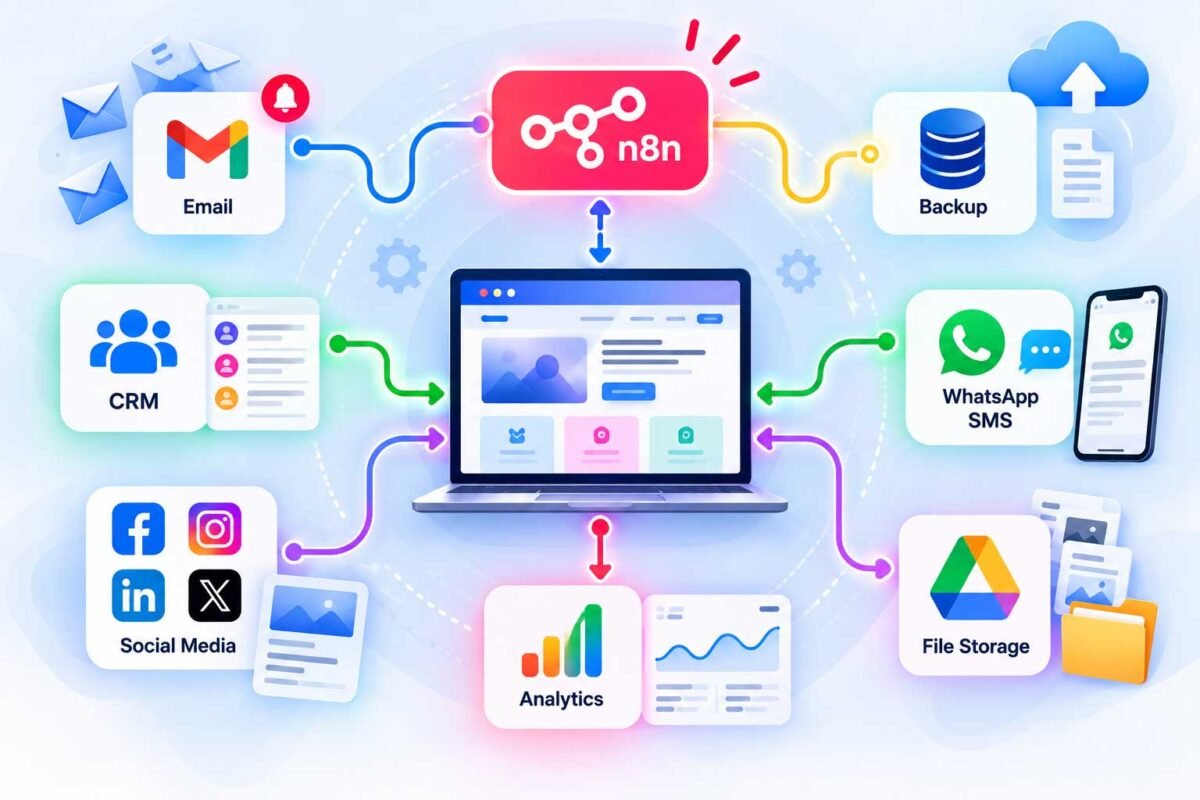
Website Automation: The Complete Guide (What It Is, How It Works, and Where to Start)
If you’ve landed here searching “website automation,” you’re probably in one of two camps: either you’re trying to understand what it actually means before you commit to anything, or you already know you want it and you’re figuring out how to actually make it happen. Good news — this guide covers both, because I get asked about this from both angles almost every week.
I’ve spent the last several years building automation into WordPress and WooCommerce sites for businesses that were, frankly, drowning in repetitive manual work. So let’s break down what website automation really is, what it can actually do for you, and how to get started — whether you’re doing it yourself or handing it off to someone else.
What Is Website Automation, Exactly?
Website automation is the practice of using tools and workflows to make your website perform tasks automatically — things a human would otherwise have to do by hand, over and over, forever. Think of it as teaching your website to handle its own repetitive chores so you and your team can focus on actual work instead of data entry, follow-ups, and manual checks.
It’s a broad umbrella, and that’s honestly part of why it confuses people. Website automation can mean anything from a simple “email me when someone fills out my contact form” workflow, all the way up to a fully connected system where your site, your CRM, your inventory, and your marketing tools all talk to each other without you touching a thing.
What Can Actually Be Automated on a Website?
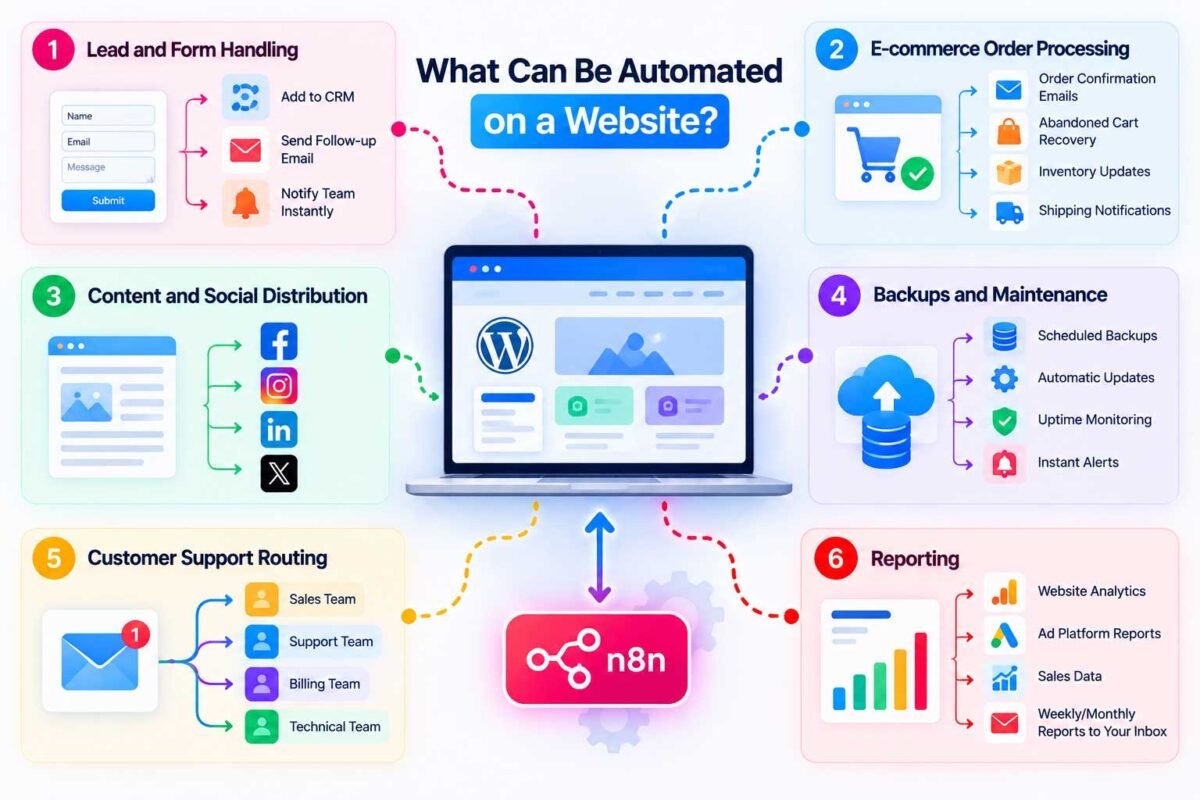
This is where it gets genuinely useful to think through, because most people underestimate how much of their day-to-day website management is automatable. Here’s what I build most often for clients:
Lead and form handling. New contact form submission → automatically added to your CRM, team notified instantly, follow-up email sent to the customer. No more leads sitting unseen in an inbox.
E-commerce order processing. Order confirmation emails, abandoned cart recovery sequences, inventory updates, shipping notifications — all triggered automatically the moment a customer takes an action, with zero manual intervention.
Content and social distribution. Publish a blog post once, and have it automatically formatted and posted across your social channels, instead of manually reposting the same content five different ways.
Backups and maintenance. Scheduled backups, automatic plugin updates, uptime monitoring with instant alerts if something goes down — the unglamorous stuff that quietly protects your business.
Customer support routing. Incoming support requests automatically sorted and routed to the right person, so nothing sits unanswered because it landed in the wrong inbox.
Reporting. Weekly or monthly performance reports pulled automatically from your analytics, ad platforms, and sales data — delivered to your inbox without anyone manually building a spreadsheet.
If a task on your website is repetitive, rule-based, and doesn’t genuinely require human judgment every single time, there’s a very good chance it can be automated.
Why Website Automation Actually Matters (Beyond “It Saves Time”)
Everyone says automation “saves time,” and sure, it does — but that undersells what’s actually happening. Here’s what I’ve seen it do for real businesses:
- It stops things from falling through the cracks. A human forgets to follow up. An automation never does.
- It scales without adding headcount. You can handle double the orders or leads without hiring someone new to manually process them.
- It reduces errors. Manual data entry is where typos, missed steps, and inconsistencies creep in. Automated workflows do the exact same thing correctly, every single time.
- It gives you back hours you didn’t realize you were losing. Most business owners don’t notice how much time repetitive tasks eat until they stop doing them — and then they genuinely can’t believe they lived without it.
The Tools Behind Website Automation
You don’t need to be a developer to automate a website today, which is honestly the biggest shift in this space over the past few years. A few categories worth knowing:
Automation platforms (n8n, Zapier, Make). These connect your website to other apps and services — your CRM, your email tool, your spreadsheets — using visual, no-code (or low-code) workflow builders. This is where most of the “connect everything together” magic happens.
WordPress/WooCommerce plugins. For site-specific automation — order emails, backups, security scans, SEO tasks — plugins built directly into your website’s platform often handle the job without needing an external tool at all.
Built-in platform automations. Many tools (your email marketing platform, your CRM, your payment processor) have their own native automation rules that can handle simpler tasks without needing to connect to anything external.
The right approach usually isn’t “pick one tool and use it for everything” — it’s understanding which job belongs where, and connecting them together so they work as one system instead of a pile of disconnected apps.
DIY vs. Hiring Someone: How to Decide
Here’s my honest take, because I build these for a living and I still think DIY is the right call for some people.
DIY makes sense if: You’re automating something simple (a single notification, a basic form-to-email workflow), you enjoy tinkering with tools like n8n or Zapier, and you have a bit of time to learn the basics. Plenty of the workflows on this blog are written specifically so you can build them yourself.
Hiring someone makes sense if: You’re automating something business-critical (order processing, customer communication, anything touching revenue), you want multiple systems connected together reliably, or your time is genuinely better spent running your business than learning a new tool from scratch. A botched automation on something important — like an order confirmation that silently fails — can cost you more than the setup would have cost to have done right the first time.
There’s no wrong answer here. I’ve got clients who built their own simple workflows and only called me in once they wanted to scale it up, and that’s a completely reasonable path.
Getting Started: A Simple First Step
If you’re new to this and not sure where to begin, don’t try to automate everything at once. Pick the one task that annoys you the most right now — the one you catch yourself doing manually and thinking “I really should fix this” — and start there. Once you’ve automated that single thing and felt the relief of not doing it by hand anymore, the next one comes much easier, because you’ll already understand the basic pattern: something happens → a workflow catches it → the right action happens automatically.
Final Thoughts
Website automation isn’t a buzzword or a “nice to have” anymore — it’s quickly become the baseline for how competitive businesses actually operate their websites day to day. Whether you start small with a single notification workflow or go all-in on connecting your entire tech stack together, the goal is the same: spend less time on the repetitive stuff, and more time on the work that actually needs you.
Ready to see what website automation could look like for your specific business? Get in touch and I’ll walk you through exactly what’s worth automating first, and build it out for you — properly connected, tested, and ready to run on its own.